How to track sales commissions in HubSpot with Claude
By Mustafa Ebiclioglu, Founder of CompSlate · · 8 min read
HubSpot doesn't track sales commissions. It tells you who closed what, but not what to pay them: no HubSpot tier has a commission module. So most small teams end up with one of three workarounds:
- A calculated deal property like
amount × 10%. Fine until you add a quota, a higher rate above 100%, a ramp for a new hire, or a customer who churns. - A spreadsheet someone rebuilds every month from a deal export. It works, and it's where most commission mistakes come from.
- Commission software that syncs with HubSpot. Built for RevOps teams, usually with an onboarding project before the first payout.
This guide shows a fourth way to do HubSpot commission tracking, and it takes about 15 minutes to set up. Claude reads your closed-won deals from HubSpot, and CompSlate turns them into quota attainment, payouts and statements. You run it from one chat at month end.
Can HubSpot calculate commissions on its own?
Only a flat rate. On a Professional or Enterprise hub you can add a calculation property to deals:
- Go to Settings → Properties and pick Deal properties.
- Click Create property, and choose Calculation as the field type.
- Use a custom equation such as
amount * 0.10and save.
Every deal now shows a 10% commission. The trouble starts with anything real: a quarterly quota, a higher rate above 100%, a ramp for a new hire, a deal split between two reps, or a clawback when a customer cancels. A property only sees one deal at a time, so it can't know where a rep stands against quota. On HubSpot's free and Starter tiers there are no calculation properties at all.
What you'll set up
- The HubSpot connector in Claude, which reads your deals and deal owners.
- CompSlate as a second connector, which holds your comp plans and does the math.
- A month-end prompt that syncs new closed-won deals and gives you each rep's payout.
The AI doesn't do the math. Claude moves data between the two tools and explains the results. Attainment, accelerators, ramps and clawbacks are worked out by CompSlate's comp engine, the same way every time, and every plan change is previewed before it's saved.
What you need
| Tool | Plan | Cost |
|---|---|---|
| HubSpot | Any tier, including the free CRM | The connector is free |
| Claude | Pro, Max, Team or Enterprise | The HubSpot connector needs a paid Claude plan |
| CompSlate | Free up to 3 people | $5 per person per month after that |
Step 1: Connect HubSpot to Claude
- In Claude, open Customize → Connectors and browse for HubSpot.
- Click Connect and sign in to HubSpot.
- Choose what Claude can access. Deals and users are enough for this guide.
The connector follows HubSpot permissions: connected as a rep, Claude only sees that rep's deals. Connect as someone who can see every deal you pay commission on. On Claude Team and Enterprise, an owner may need to turn the connector on first.
Step 2: Connect CompSlate to Claude
- In the same place, click + then Add custom connector.
- Name it CompSlate and paste
https://compslate.com/mcpas the URL. - Click Connect and sign in with your work email. New workspaces are free.
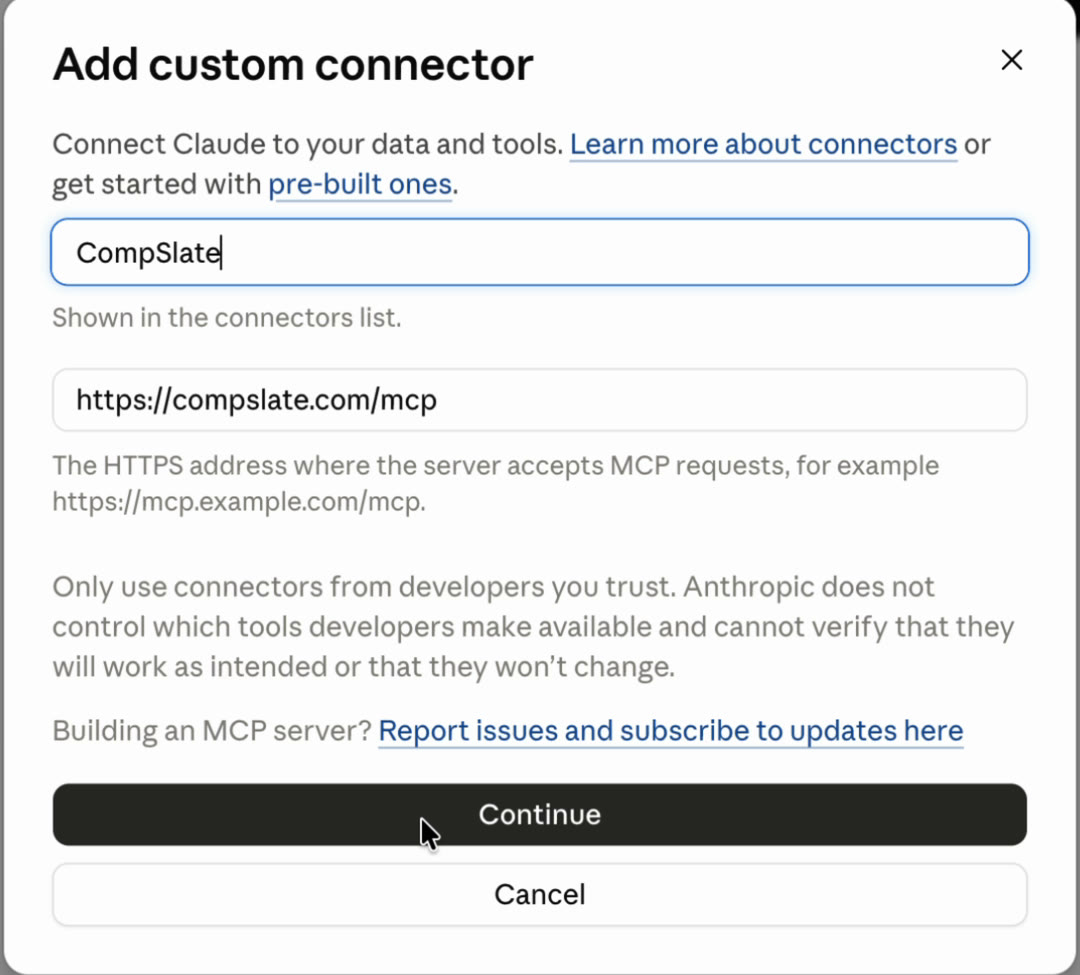
The quick start walks through this with more screenshots.
Step 3: Describe your comp plans
Start a new chat with both connectors on. Ask Claude to use the deal owners in HubSpot so the names match:
Look up the users who own deals in HubSpot and set them up in CompSlate:
- Jane and Jordan: AEs from Jan 1. $150K OTE, 60/40 base/variable,
  $375K quarterly quota, 1.5x commission rate above 100% of quota.
- Sam: SDR from Jan 1. $80K OTE, 70/30, paid on meetings booked.
Claude lays out the plans, quotas and ramps as a table before anything is saved. Say yes, or change what's wrong ("make Jordan's OTE $140K").
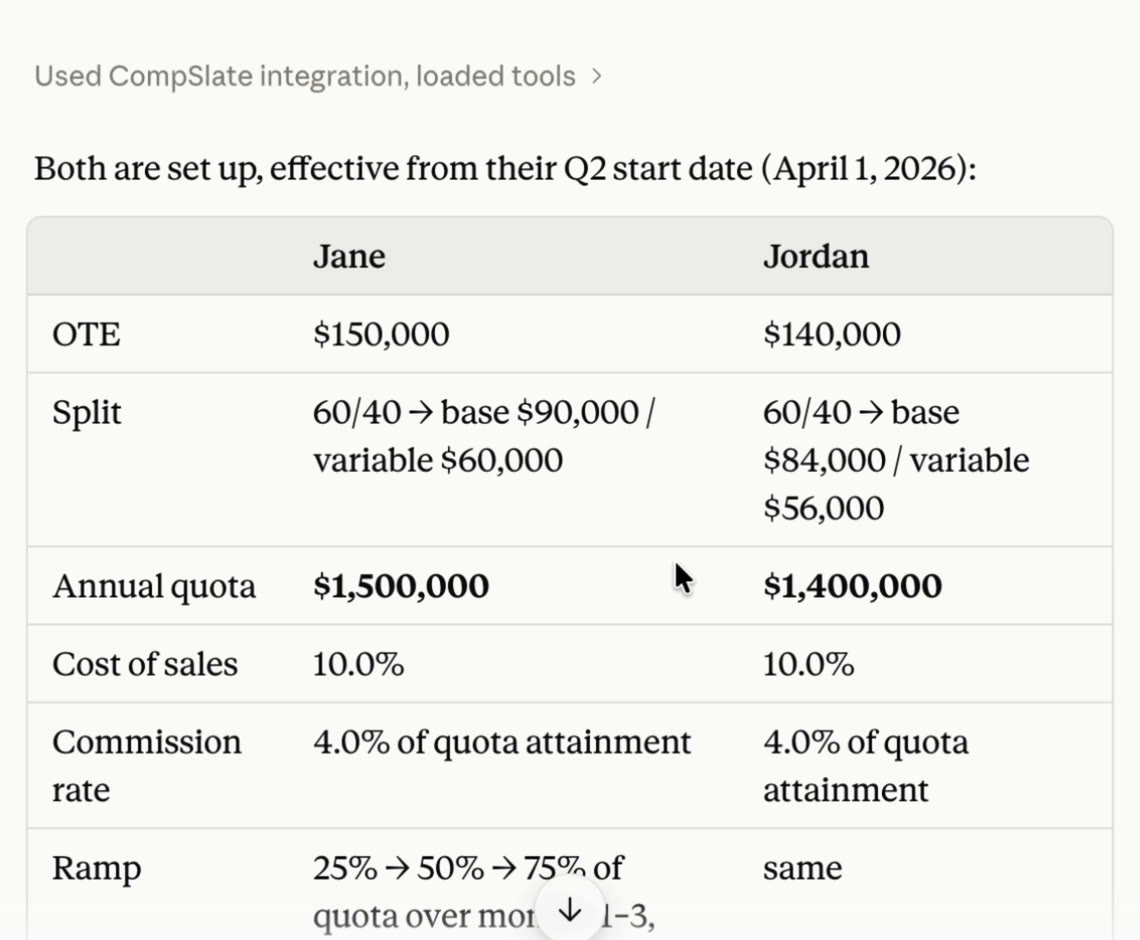
If you already have a comp plan document, paste it in and ask Claude to import it instead.
Step 4: Sync your closed-won deals
Find every HubSpot deal that closed won since January 1, 2026.
Record each one in CompSlate for the deal owner, with the deal name,
amount and close date. Check what's already recorded in CompSlate
first and skip those.
Claude searches HubSpot by deal stage and close date, matches each owner to a rep in CompSlate, and records the deals in batches of up to 500. Each rep's attainment comes back straight away.
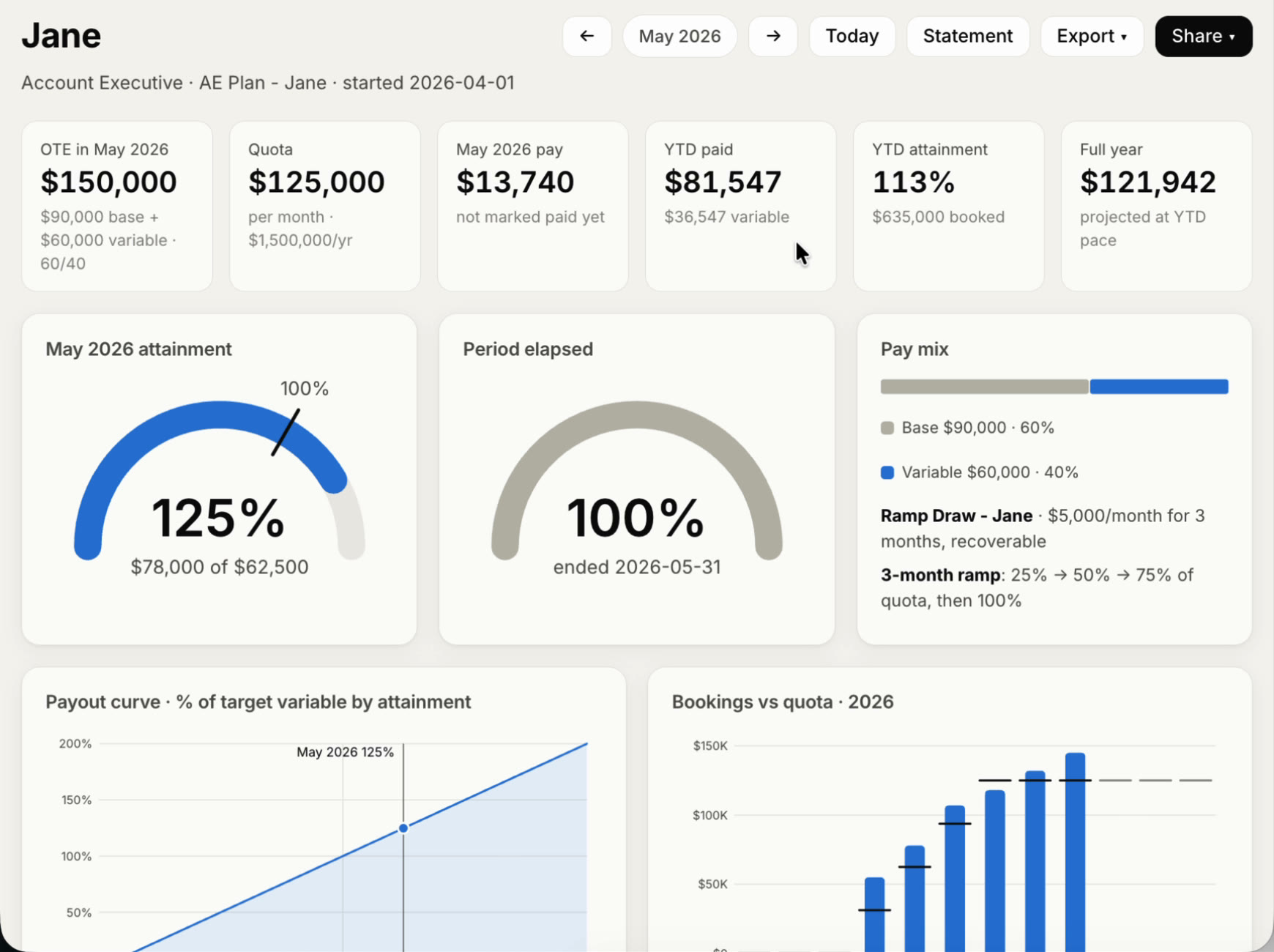
Two things worth saying up front:
- Which stage counts as won. If you have more than one pipeline, or a custom stage like "Contract signed", name it.
- Which amount to pay on. Claude uses the Amount field unless you say otherwise, for example "use the ACV property as the amount".
Step 5: Run month end in one prompt
Month-end commissions for September:
1. Sync any HubSpot deals that closed won since the last deal in CompSlate.
2. List any deal whose owner isn't set up in CompSlate.
3. Show each rep's attainment and payout for September.
Ask for a statement for any rep to see how the payout was worked out, with the deals behind it and a printable version for finance. When the numbers are right:
Mark everything through September 30 as paid.Paid periods are locked. A deal that shows up late in HubSpot is paid as a correction in the next open period, so last month's numbers never change under you.
Step 6: Handle the messy cases
Commissions get hard at the edges. Each of these is one message:
| Situation | What to tell Claude |
|---|---|
| Two reps share a deal | "The Acme deal is split 60/40 between Jane and Jordan." |
| A customer churns | "Add a 90-day clawback to the AE plan." Then: "Northwind cancelled on October 12, claw it back." |
| A one-off bonus | "Pay Jordan a $500 SPIF for the first annual contract this quarter." |
| A new hire | "Maya starts November 1 as an AE on the same plan, with a 3-month ramp." |
| A draw while ramping | "Give Maya a $3,000 monthly recoverable draw for her first 3 months." |
| A plan change | "What would a 2x rate above 120% have cost us last quarter?" |
Plan changes are the one place to slow down. Ask for the what-if first, look at the cost on your real numbers, then make it live from a date you choose.
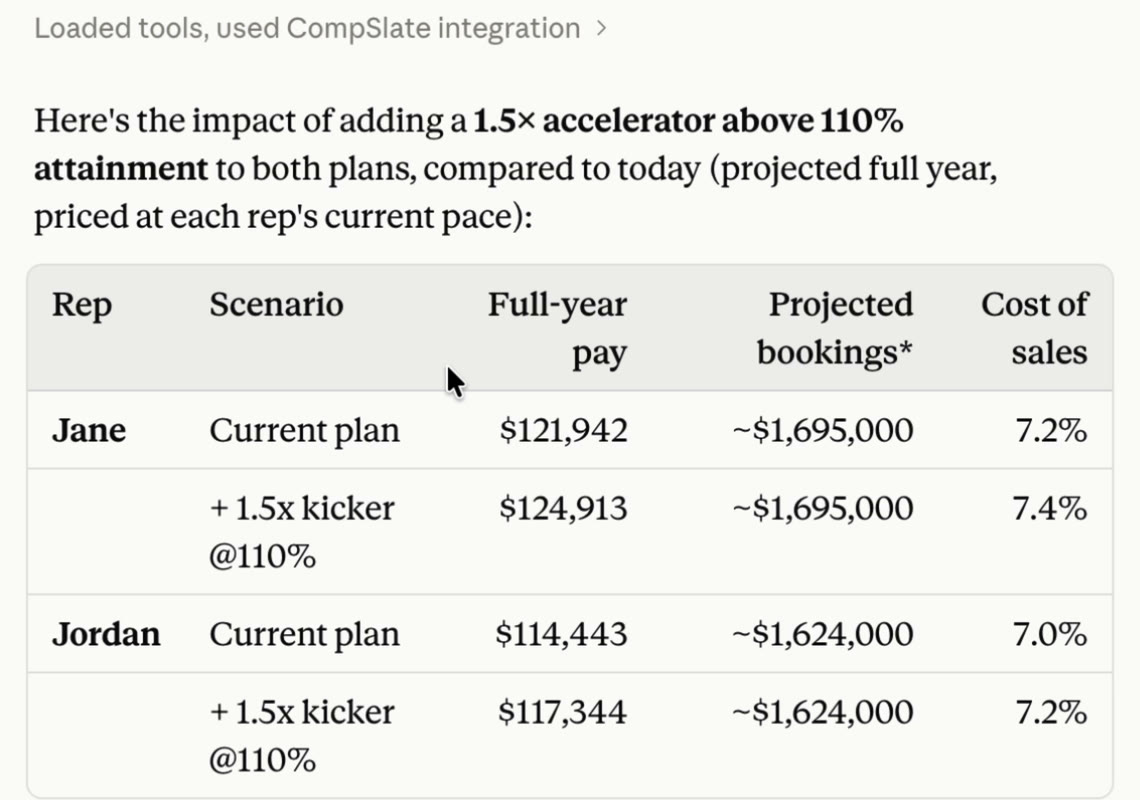
Worked example: what an AE earns in a quarter
Here's the math CompSlate runs for Jane from step 3, so you can check it by hand:
| Value | |
|---|---|
| OTE | $150,000, split 60/40 |
| Variable pay | $60,000 a year, $15,000 a quarter |
| Quarterly quota | $375,000 ($1.5M a year, so OTE is 10% of quota) |
| Closed won in Q3 | $468,750, which is 125% of quota |
| Pay for the first 100% | $15,000 × 100% = $15,000 |
| Pay above 100% at 1.5x | $15,000 × 25% × 1.5 = $5,625 |
| Q3 commission | $20,625 |
The accelerator only applies to the part above 100%, so a rep at 125% earns 137.5% of their quarterly target, not 187.5%. That's the kind of detail a spreadsheet gets wrong and a flat calculated property can't do at all.
Which option fits your team
| Calculated property | Spreadsheet | Commission software | Claude + CompSlate | |
|---|---|---|---|---|
| Setup | Minutes, on Professional or Enterprise | Hours | Days to weeks | About 15 minutes |
| Quotas, tiers, ramps, clawbacks | No | By hand | Yes | Yes |
| Rep statements | No | By hand | Yes | Yes, plus a live card for each rep |
| Best for | One flat rate | One or two reps | A team with RevOps | Founders and small teams |
Limits to know about
- It runs when you ask. There's no background sync. The month-end prompt is the sync, and it takes a minute.
- Owners are matched by name or email. If someone's HubSpot name differs from their name in CompSlate, tell Claude once.
- Claude only sees what the connected HubSpot user can see. Connect as an admin or sales manager.
Get started
- Create a free CompSlate workspace. No card, free up to 3 people.
- Connect HubSpot and CompSlate in Claude (steps 1 and 2 above).
- Paste the prompts from steps 3 and 4.
Frequently asked questions
Does HubSpot calculate sales commissions?
No. HubSpot tracks deals, owners and amounts, but no tier has a commission module. On Professional and Enterprise hubs a calculation property can apply a flat rate to each deal. Quotas, tiers, ramps and clawbacks need a spreadsheet or a separate tool.
How do you calculate commission with an accelerator?
Pay the normal rate up to 100% of quota and the higher rate only on the part above it. A rep with $15,000 of quarterly variable pay who hits 125% with a 1.5x accelerator earns $15,000 + ($15,000 × 25% × 1.5) = $20,625.
Can Claude calculate sales commissions?
On its own, Claude can do the arithmetic in a chat, but it doesn't keep your plans between chats and can slip on long lists. Connected to CompSlate, Claude passes the deals along and CompSlate's comp engine calculates the payout, so the same deals always give the same result.
Do I need a paid HubSpot plan?
No. HubSpot's connector for Claude works on every HubSpot tier, including the free CRM. It needs a paid Claude plan (Pro, Max, Team or Enterprise).
Does this work with ChatGPT?
CompSlate works in ChatGPT and other assistants too (how to connect). This guide uses Claude because HubSpot's connector for it works on every HubSpot tier.
Can reps see their own commissions?
Yes. Invite them and each rep sees their own comp card and statements. Admins see the whole team. Nothing is emailed to reps unless you say so.