Quick start
From an empty workspace to a team on comp plans in about ten minutes. You need a CompSlate workspace (start one free, free up to 3 people) and Claude, which works on its free plan. Using ChatGPT or another assistant? Connect with these steps, then carry on from step 2.
1. Add CompSlate to Claude
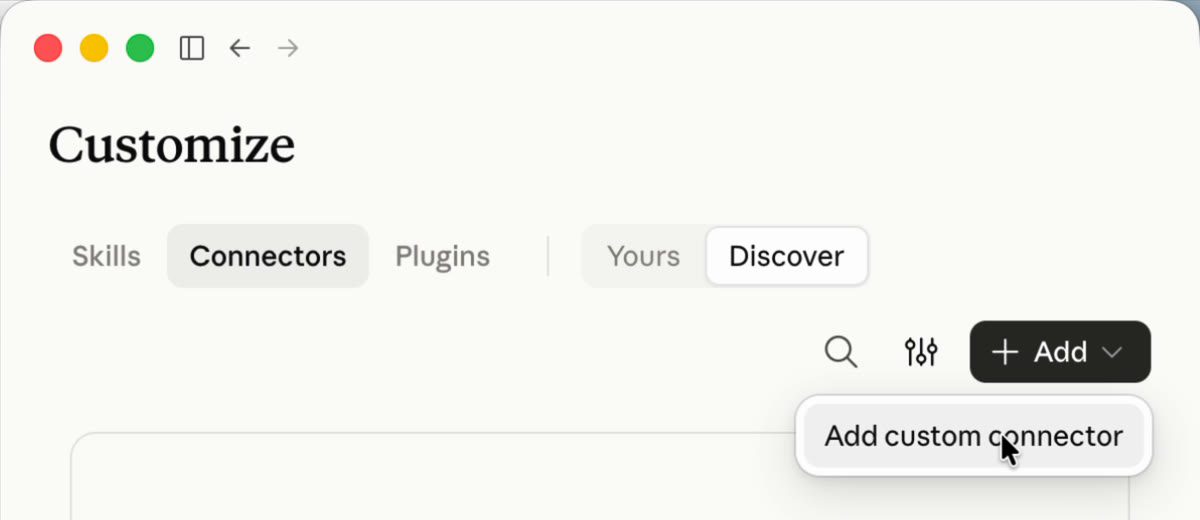
- On claude.ai or in Claude Desktop, open Customize → Connectors, click + Add and choose Add custom connector.
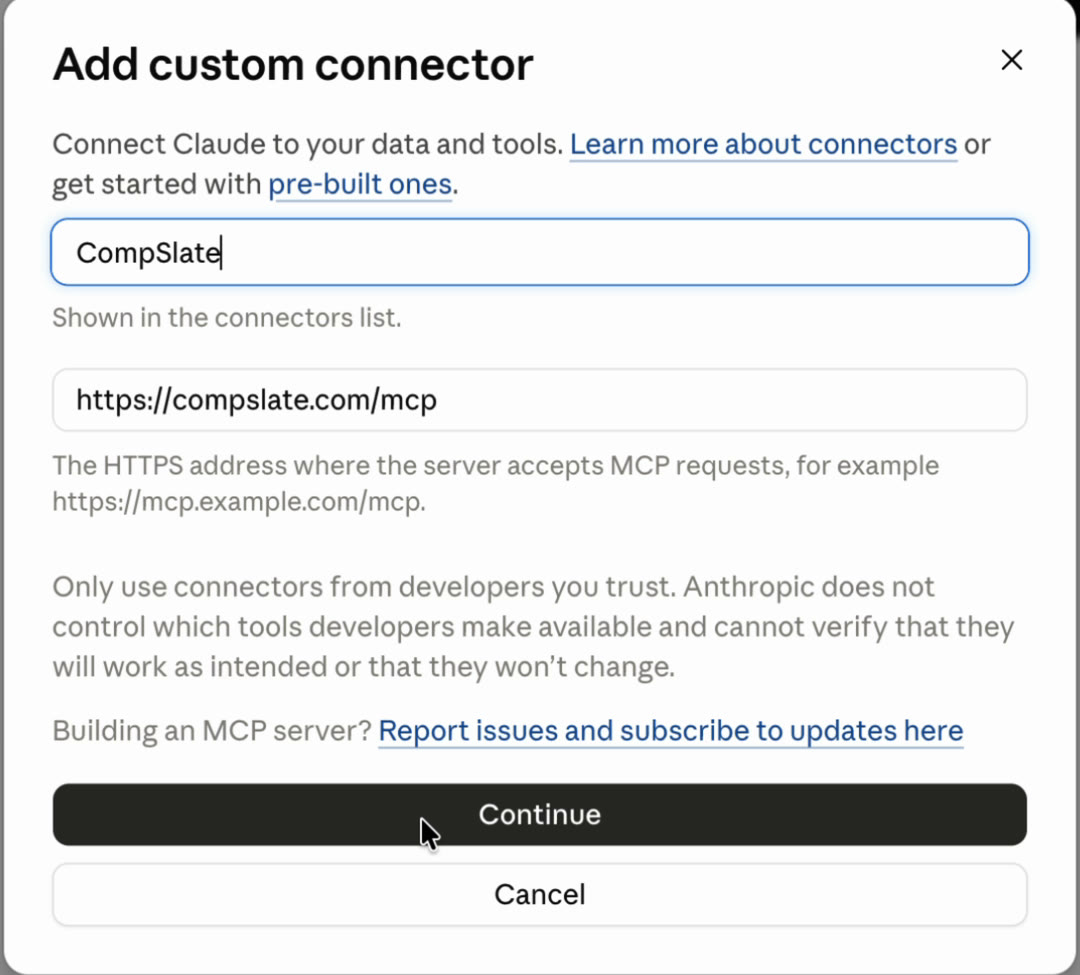
- Name it CompSlate, paste
https://compslate.com/mcpand click Continue, then Add. Keep the sign-in settings Claude detects.
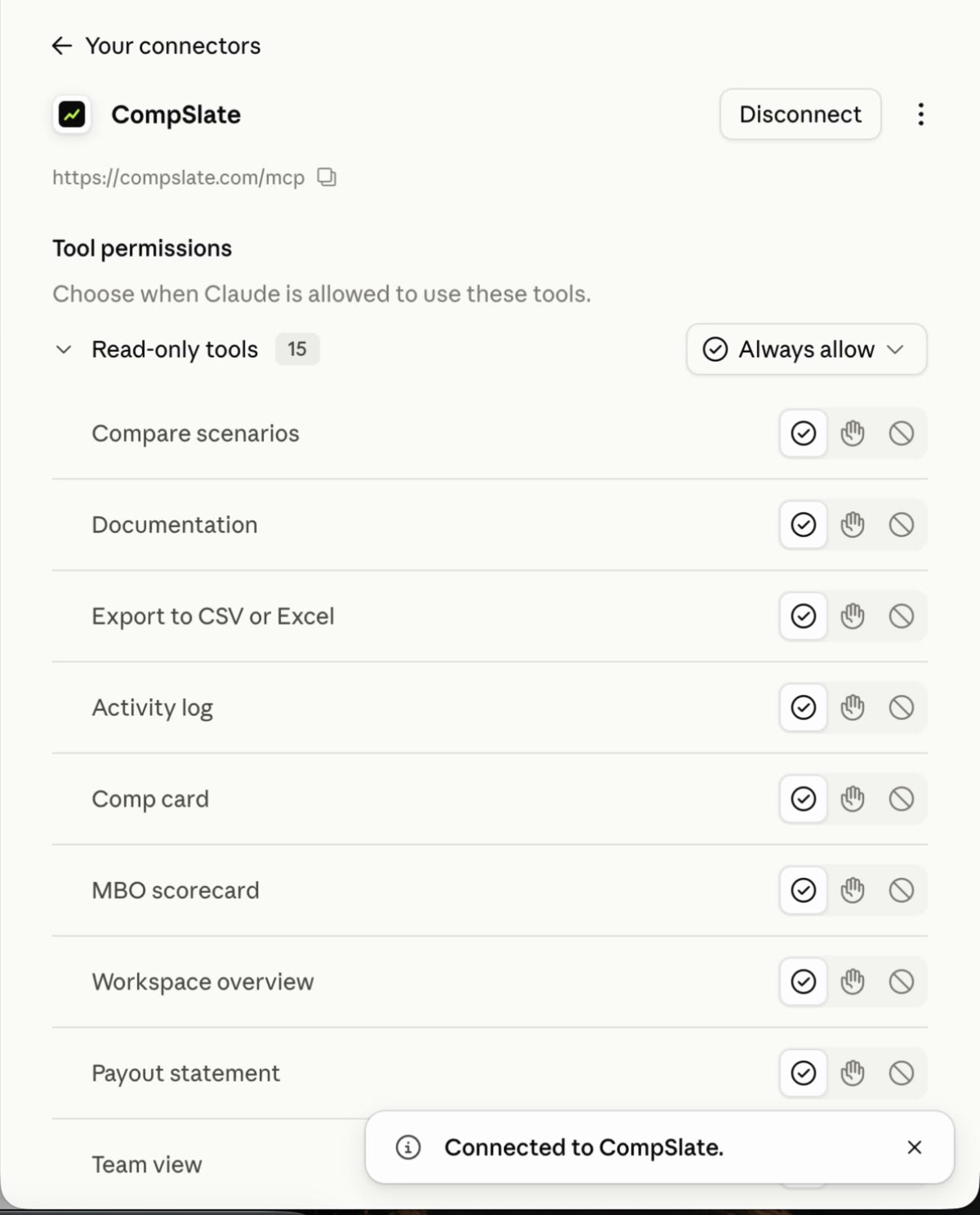
- Click Connect and sign in with your CompSlate email. When Claude shows Connected to CompSlate and the list of tools, you're done. Add it once and it works in the Claude mobile app too.
In a new chat, check CompSlate is switched on under + → Connectors. A fast model works best: CompSlate does the math, so the assistant only has to understand you.
2. Set up your first reps
Say who you hired and what you agreed, the way you'd tell a cofounder:
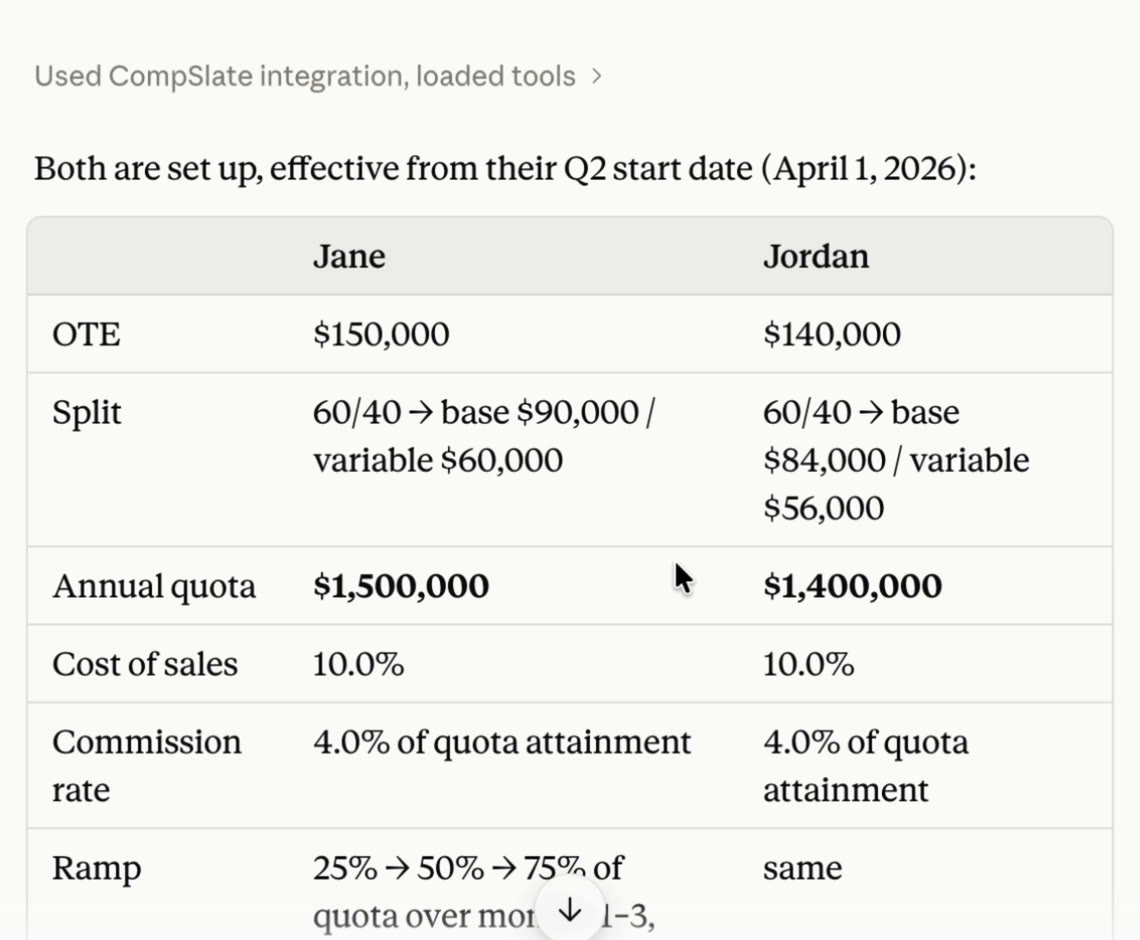
I've hired two AEs, Jane and Jordan, starting at the beginning of Q2.
OTE is $150K for Jane and $140K for Jordan, 60/40 base to variable.
Keep cost of sales at 10% of OTE and set quotas from that.
Put them on a 3-month ramp.
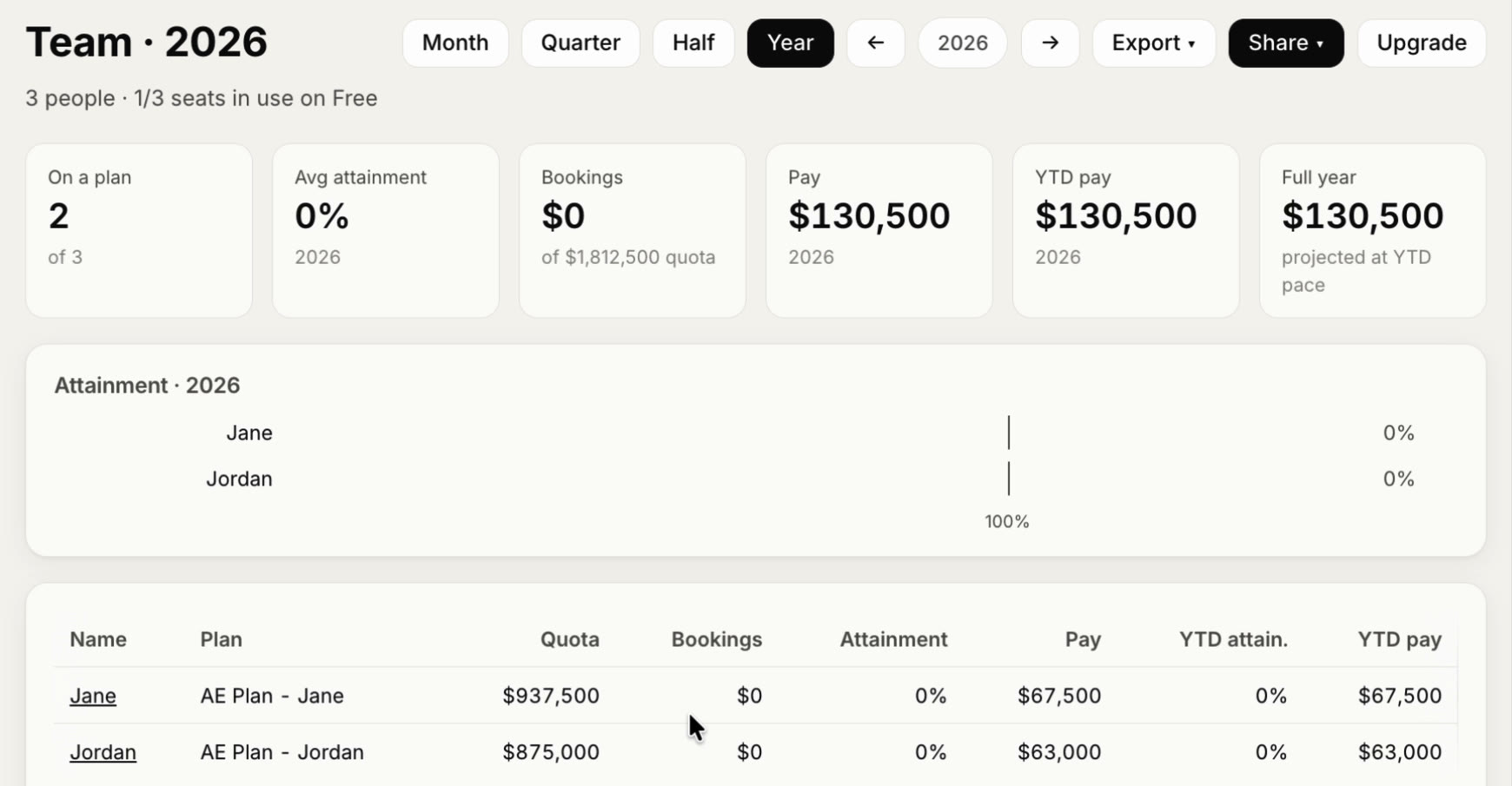
CompSlate works out the plan (here a $1.5M and $1.4M annual quota and a 25% → 50% → 75% ramp) and shows it back to you.
Open the web app and both reps are on the Team page with their quota and pay.
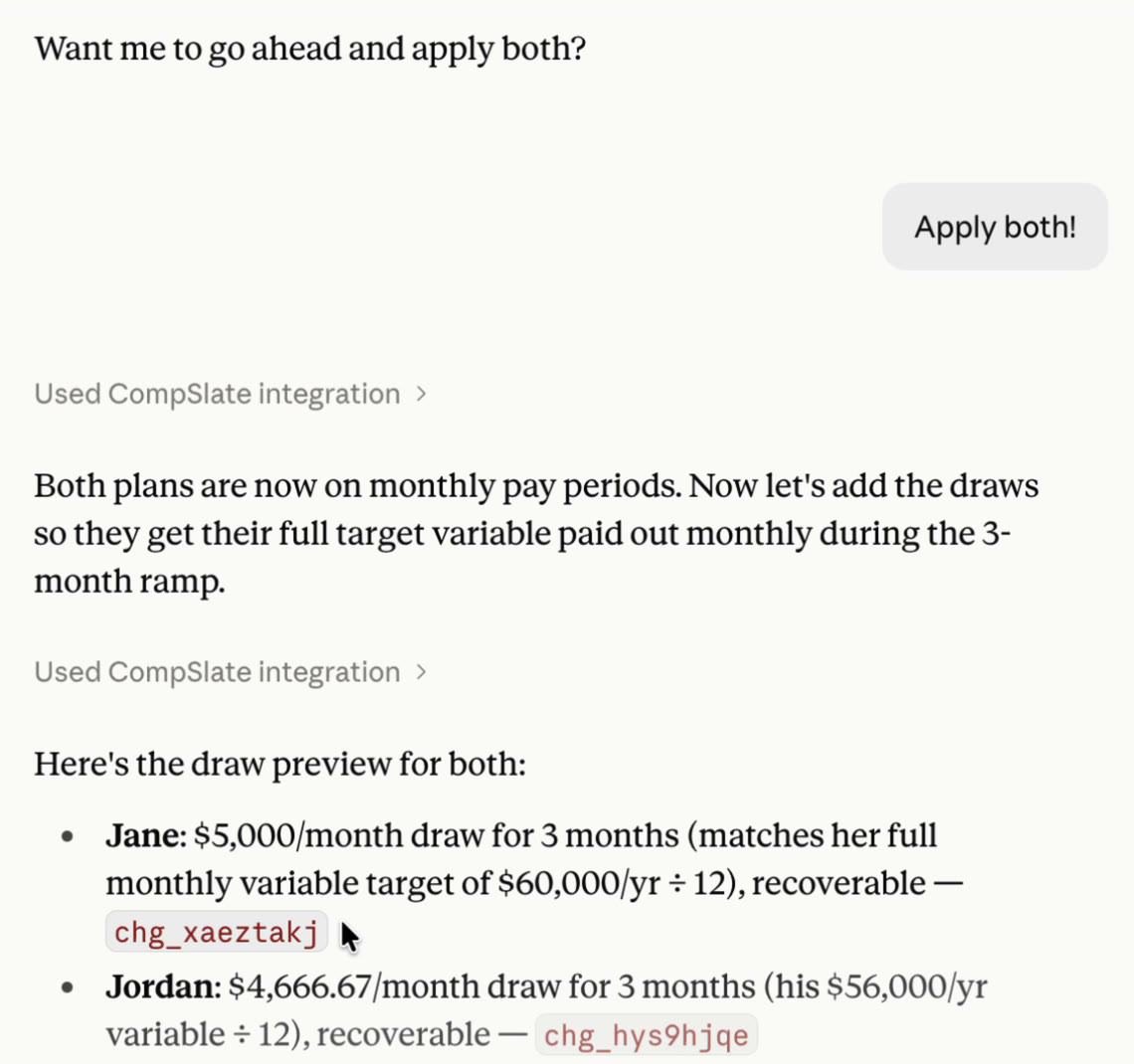
Want a draw while they ramp? Ask for it:
Give them a recoverable draw for their first 3 months on ramp, and pay them monthly.Anything that changes someone's pay comes back as a preview first. Nothing is saved until you say yes.
3. Record their deals
Paste rows straight from a spreadsheet or your CRM export: rep, date, customer and amount are enough.
Here are their orders, put them on their comp cards:
(paste the rows)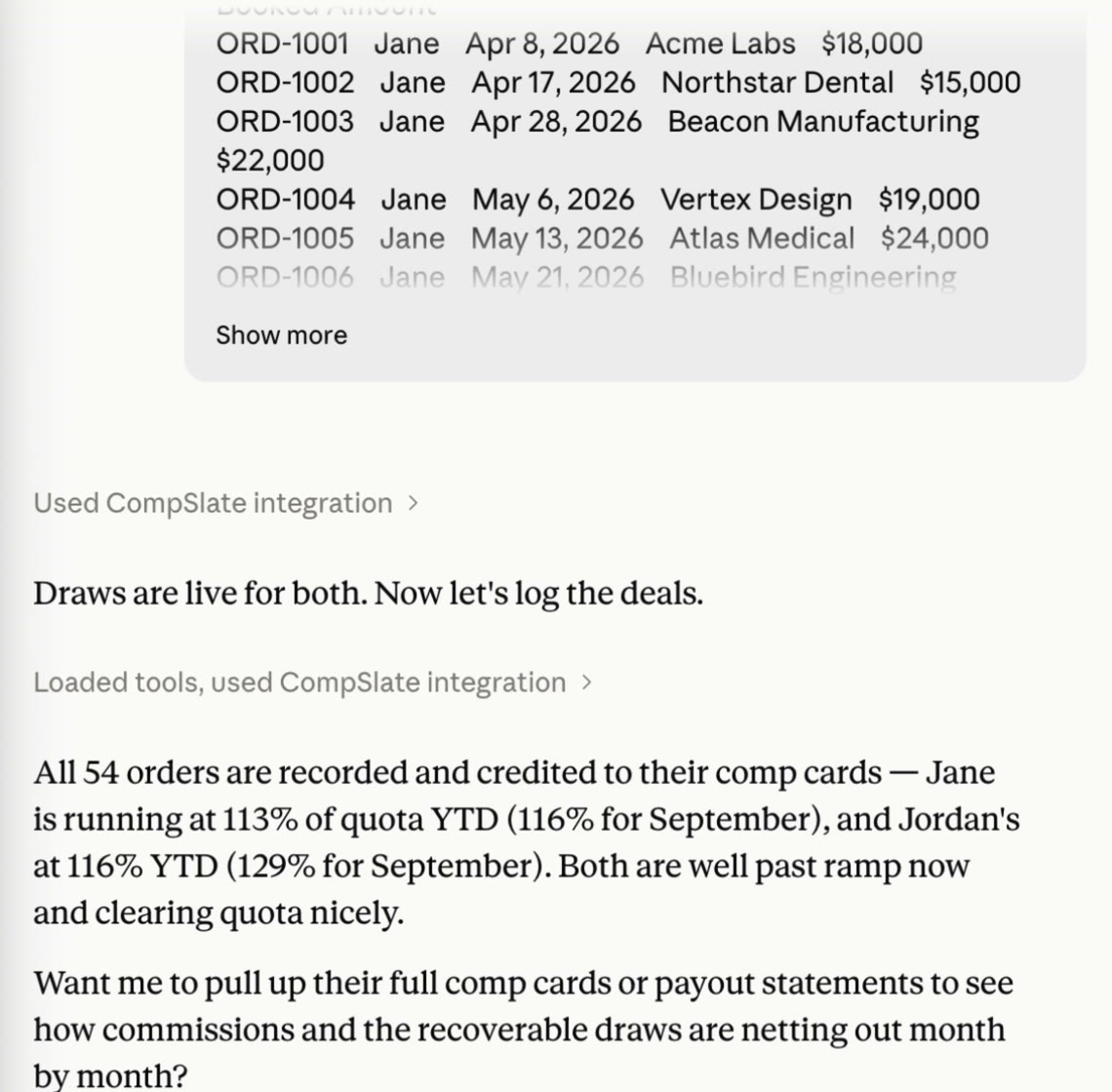
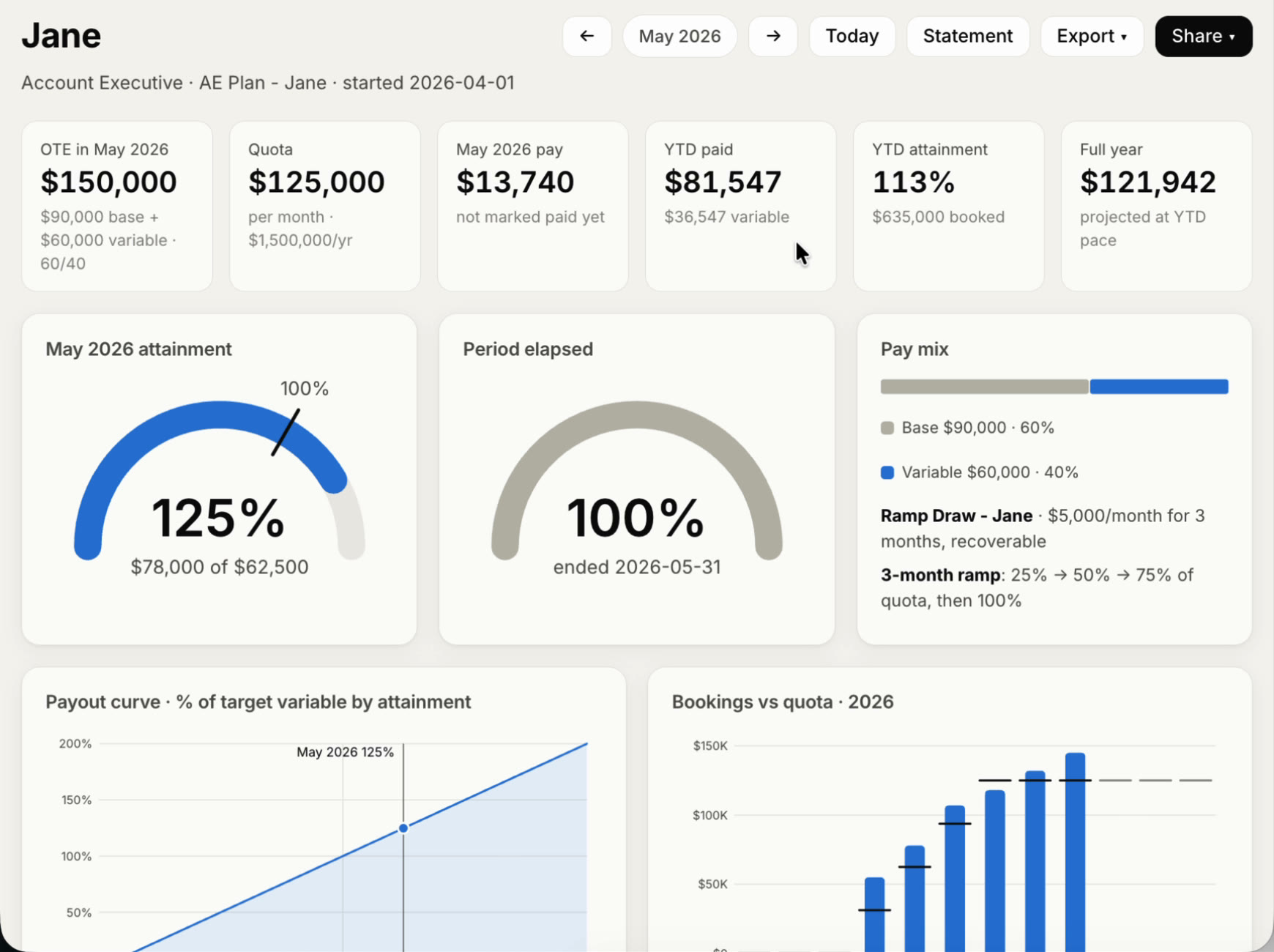
Each rep's comp card updates on its own: attainment, pay so far, the draw and a projection for the year. Reps see the same card when they sign in.
4. Try a what-if before you commit
Ask what a change would cost on your real numbers. Nothing changes until you decide.
What would a 1.5x kicker above 110% attainment cost me for Jane and Jordan?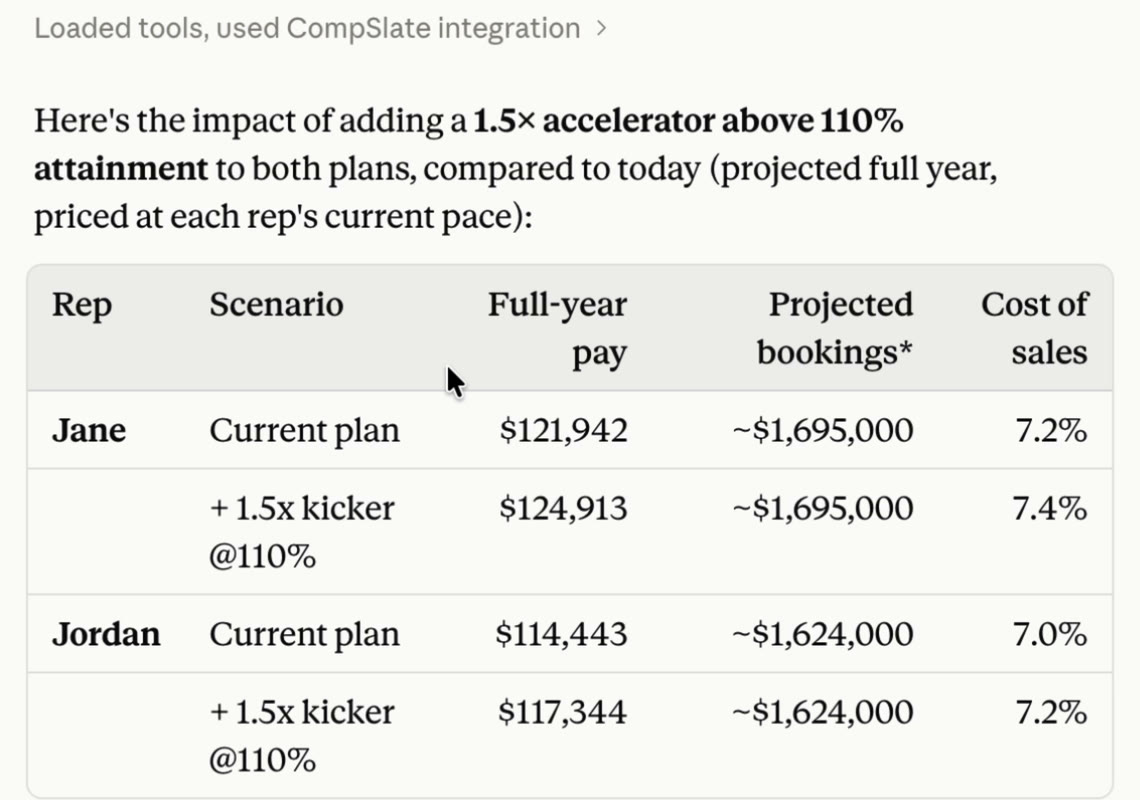
Like it? Make it live, from any date you choose:
Go with the kicker for both, backdated to their start date.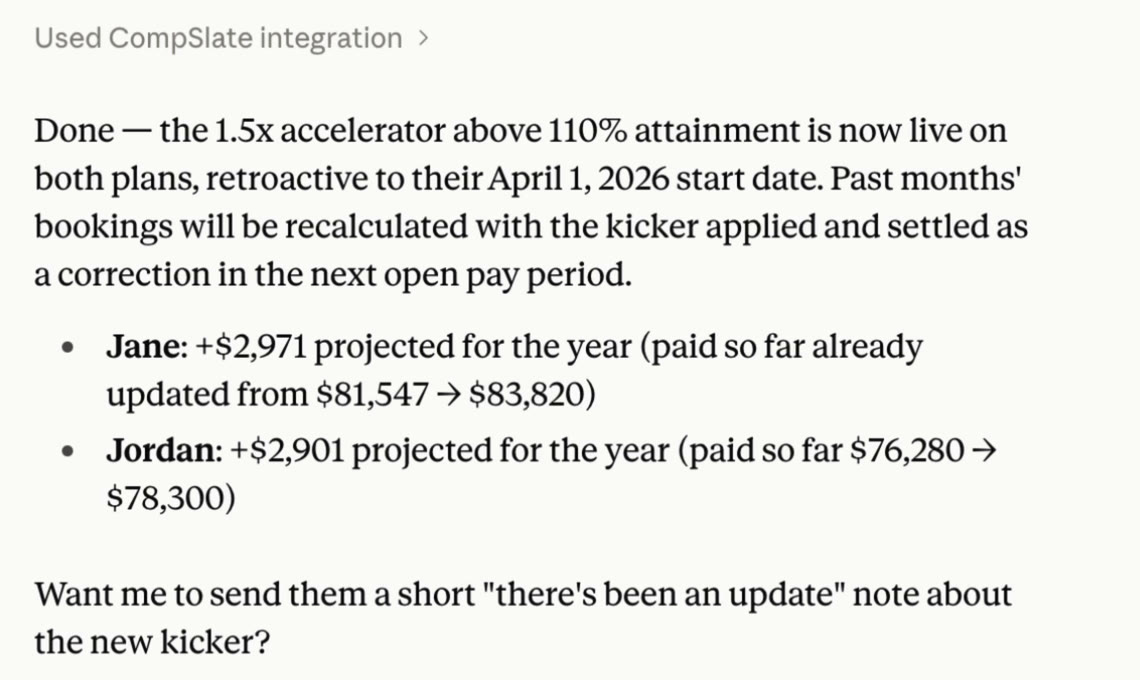
5. Plan a future hire
People you add for planning don't use a seat until they sign in, so you can model the team you're hiring for:
Plan a winter co-op starting October 1 for 3 months. Base salary only,
plus a $10K yearly bonus paid monthly on meetings booked, target 50 a month.
Pick a fair base for a co-op in Boston.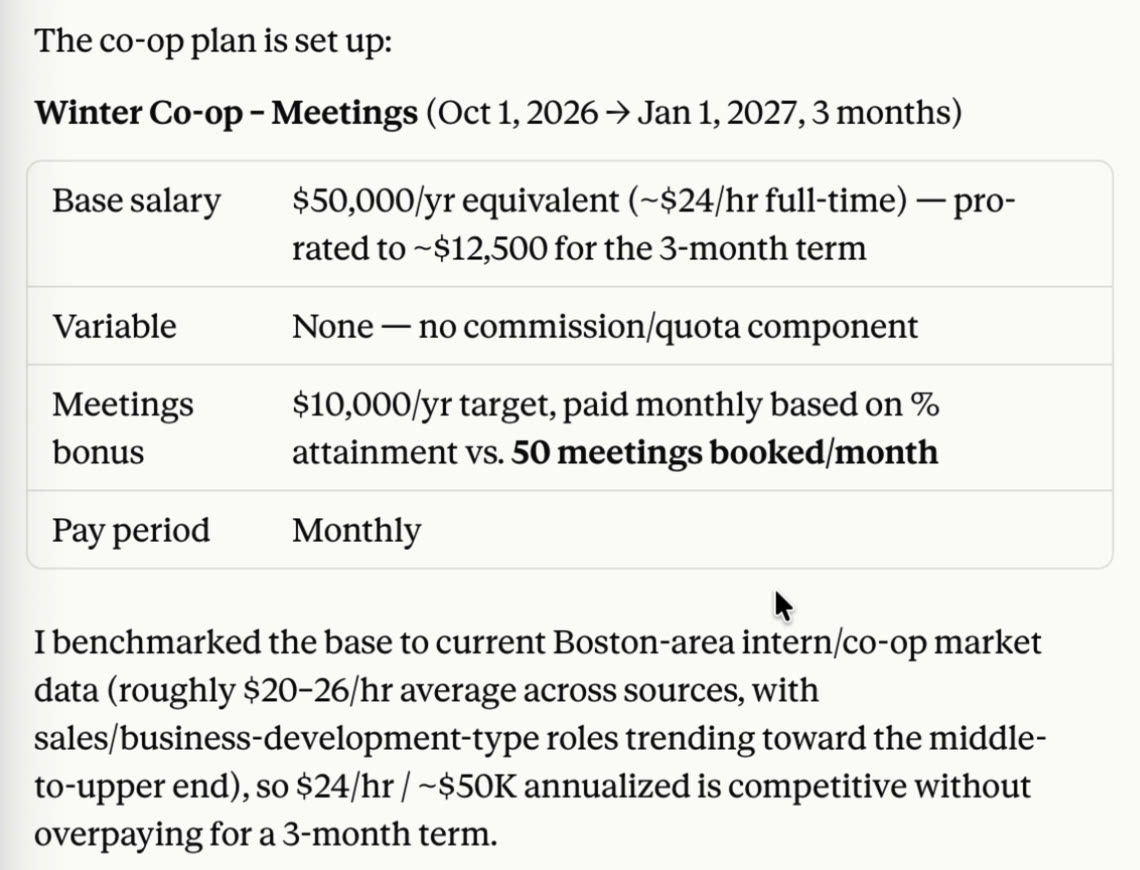
Next
- Invite your reps. "Add Jane's email, jane@acme.com, and send her an invite." She signs in to see her own comp card; she doesn't need an AI assistant.
- Pay out. "Show me Jane's statement for September", then "Mark September paid."
- Hand it to finance. "Export Q3 payouts to Excel."
- Deals in HubSpot? Sync closed-won deals with Claude instead of pasting them.
More in How CompSlate works and Plan components. Stuck? See fixes for the usual problems or email support@compslate.com.